Online Operation Procedure for Graduate Thesis Proposal
I. System Login
1. Login URL
Graduate students and supervisors shall log in to “University Homepage / Smart Campus / Graduate System / Graduate Culturing / Culturing Process / Thesis Proposal” to fill in the application.
2. Login Account
If you have any problems with your Smart Campus password, please contact the Information Office: 025-83492019 or xxh@njupt.edu.cn.
II. Operation Procedure
1. Student Operations
(1) Master’s students who meet the requirement that completed credits / required credits ≥ 2/3 shall log in to “Graduate System / Graduate Culturing / Culturing Processs / Thesis Proposal” to fill in the thesis proposal application. The page contains basic information (to be checked by the student) and thesis proposal information (to be entered by the student).
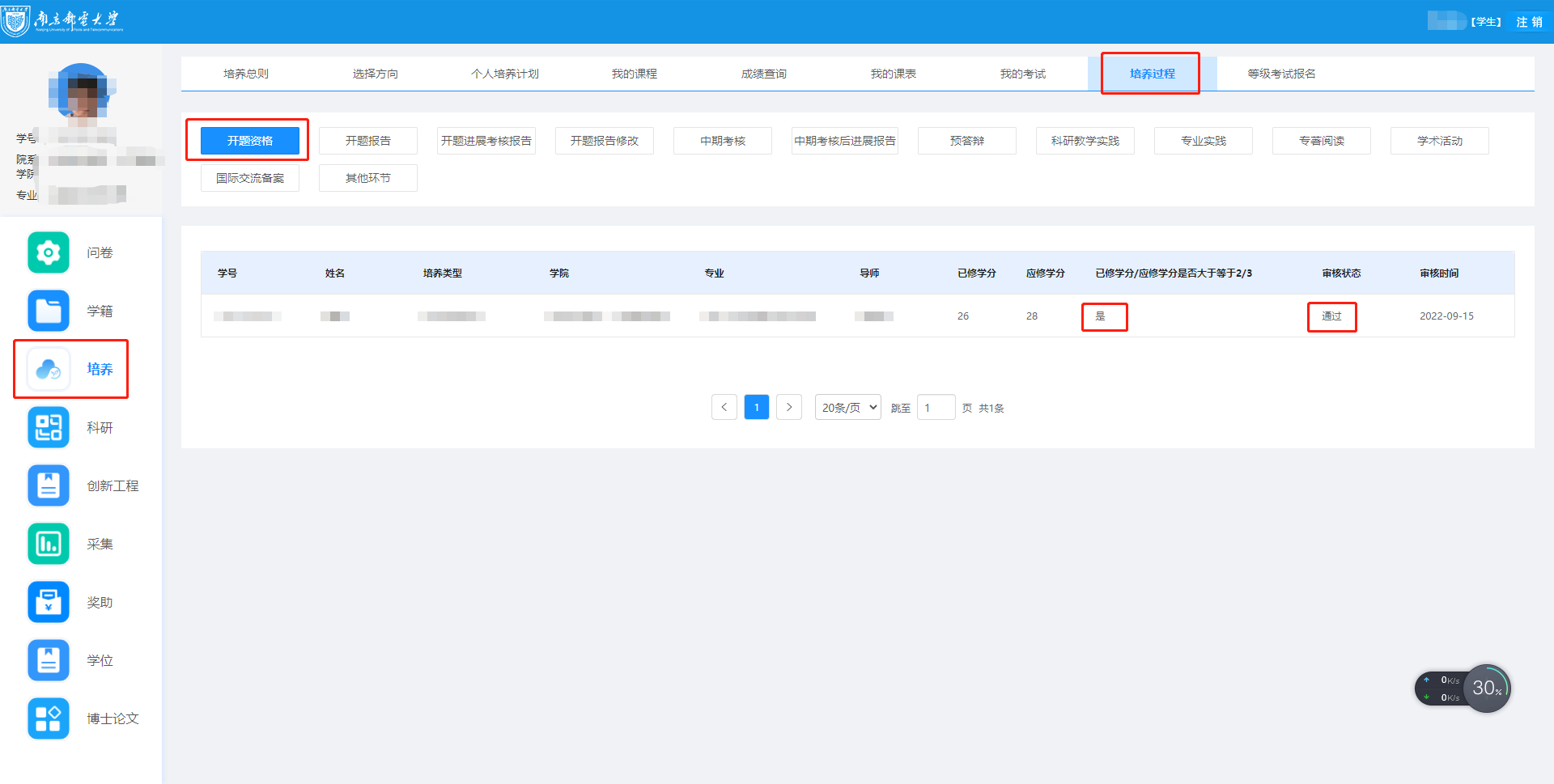
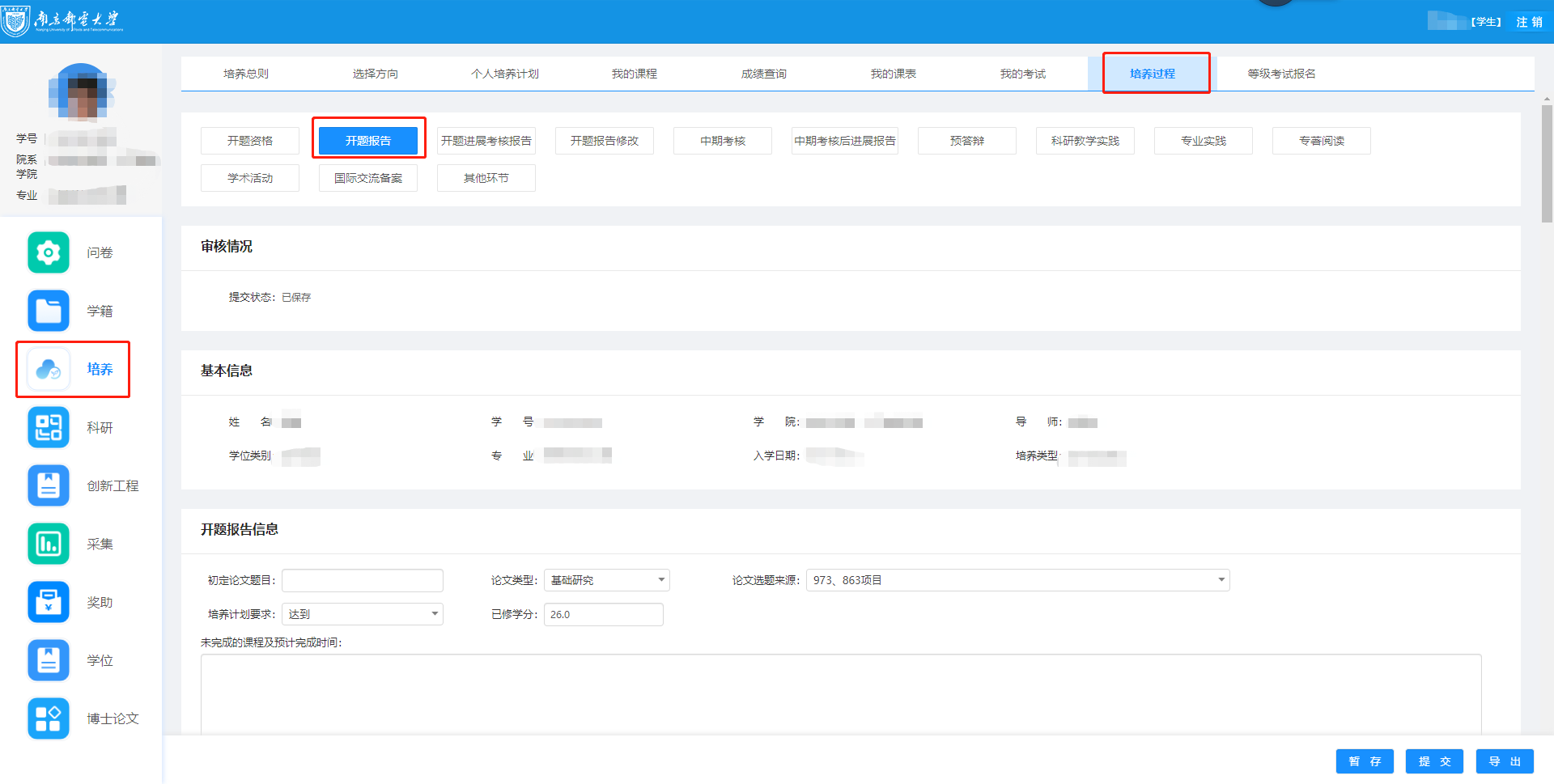
(2) After completing the thesis proposal information, export the Word version of the thesis proposal and the thesis proposal assessment form from the lower right corner, convert the thesis proposal into PDF format, and upload it.
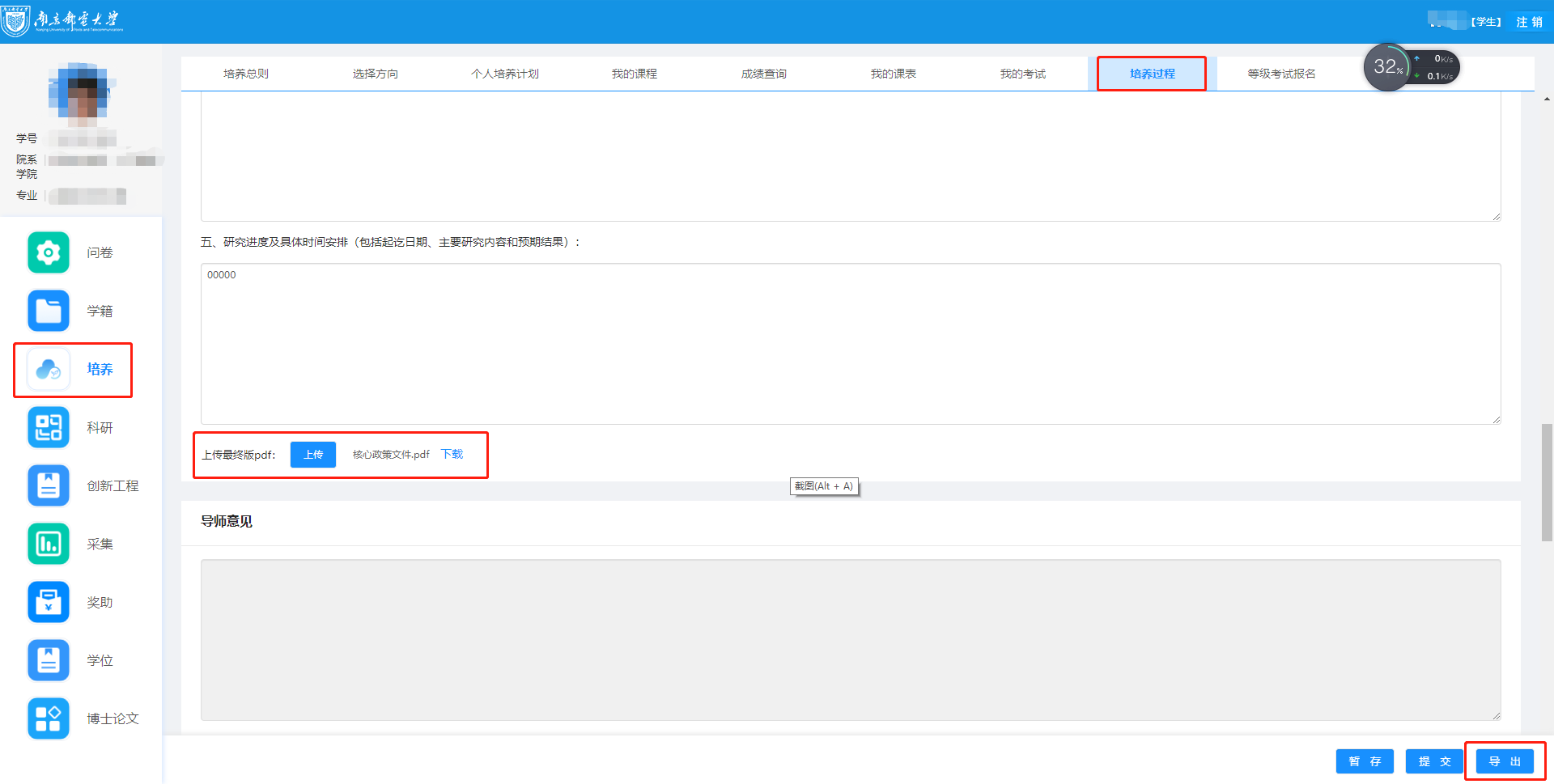
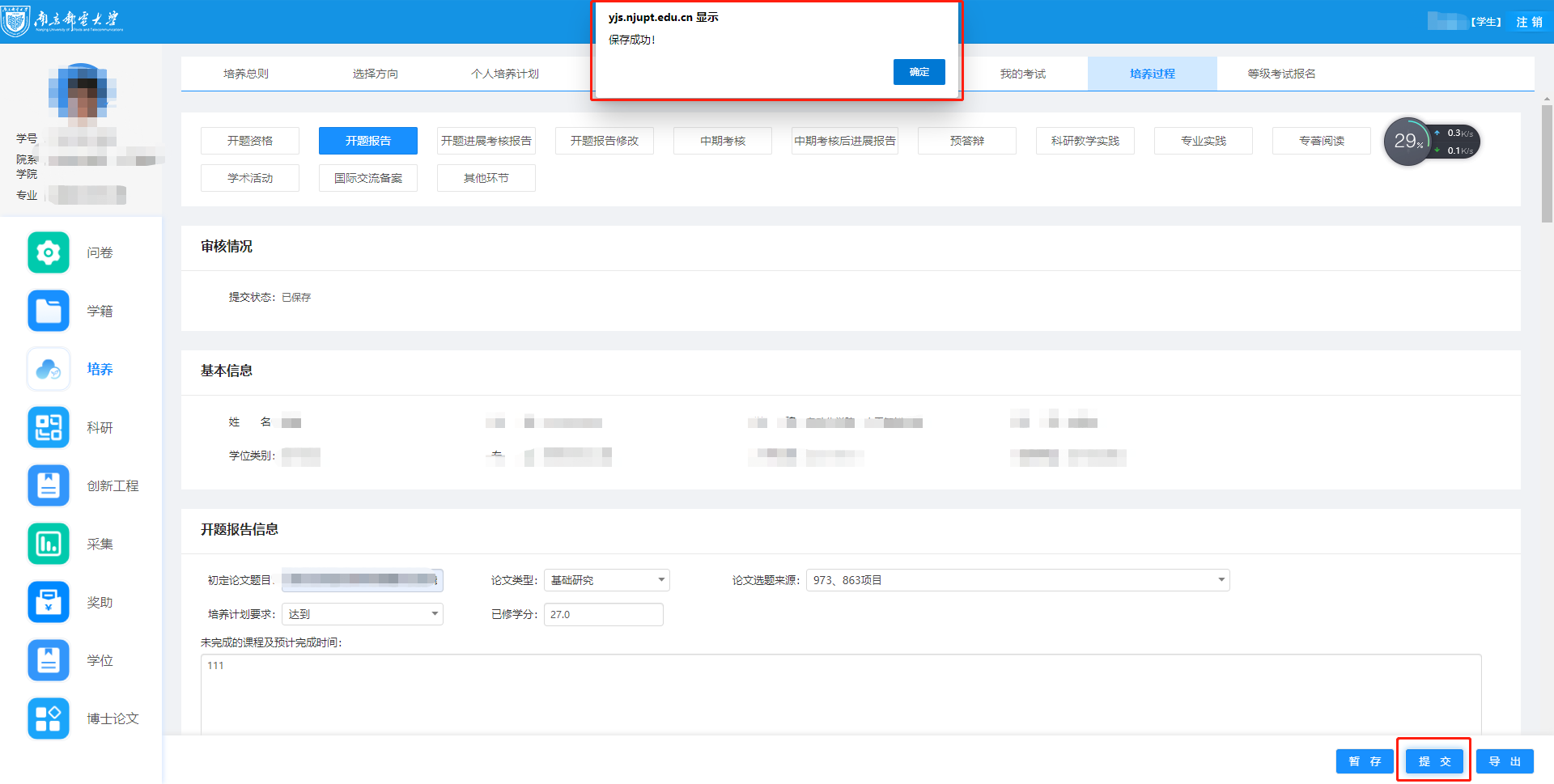
During data entry, you may click the “Save Draft” button to save the data. After all data has been entered completely and confirmed correct, be sure to click “Submit” and ensure that a message indicating successful saving is displayed.
(4) Master’s students whose thesis proposal assessment result is Grade C or D must complete a thesis proposal progress assessment report under the supervision of their supervisor or college.
Situation 1: If the supervisor has not yet reviewed the proposal, the student may modify the relevant content of the thesis proposal by themselves. After modification, simply click “Submit” and “Confirm” again.
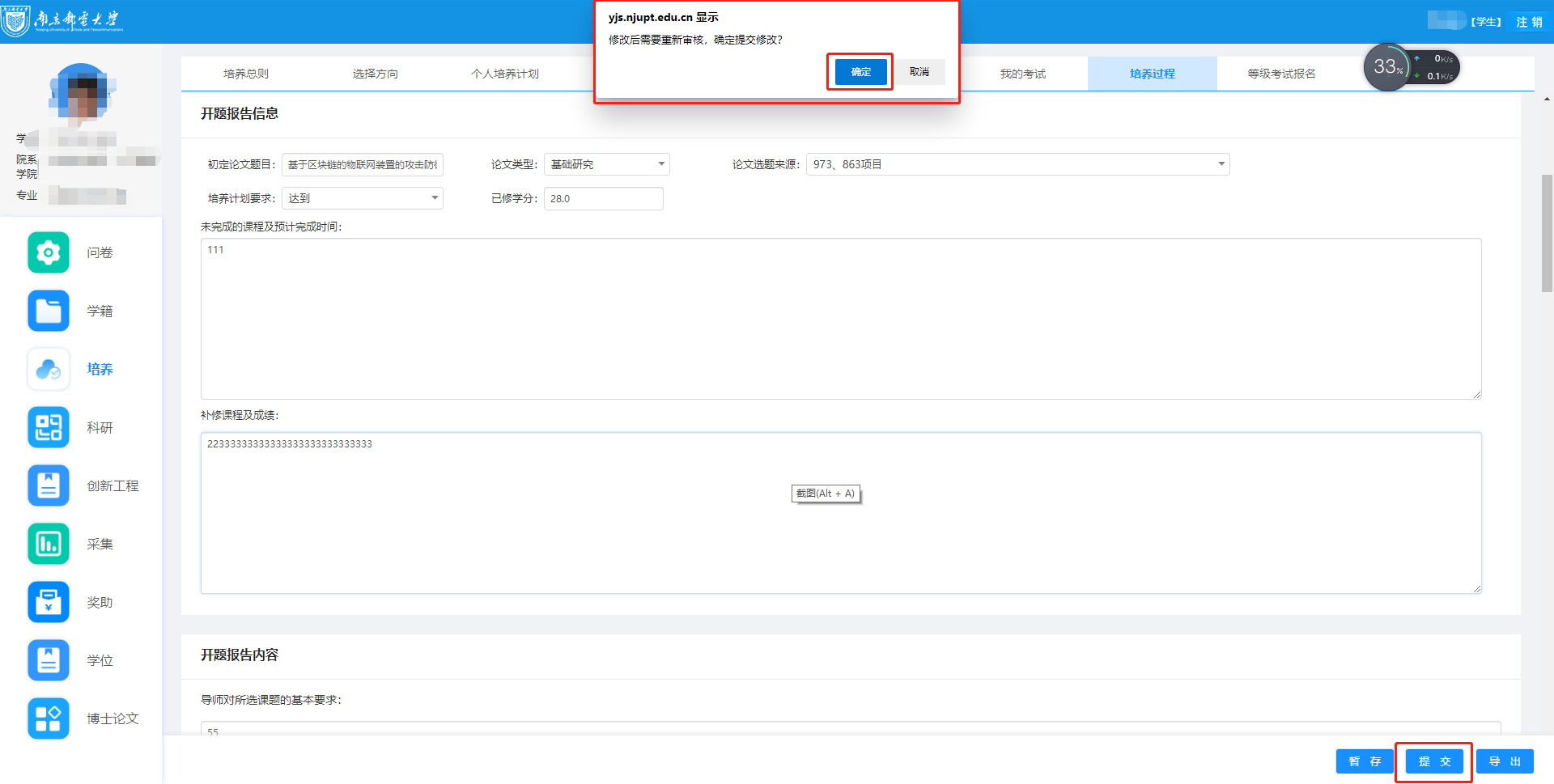
Situation 2: After the supervisor or college has approved the submitted proposal, the student cannot modify the submitted thesis proposal content. If modification is needed, the supervisor or college must “Revoke” the review result. The student may then modify it on their own. After modification is completed, click “Submit” and “Confirm.” Once a message indicating successful saving is displayed, the supervisor or college may review it again.
2. Supervisor Operations
Supervisors shall log in to “Smart Campus /Graduate System / Graduate Culturing / Culturing Process / Thesis Proposal,” click “View” to access the student’s thesis proposal, fill in the “Supervisor’s Comments” field, and after confirming that everything is correct, perform the review operation in the lower right corner.
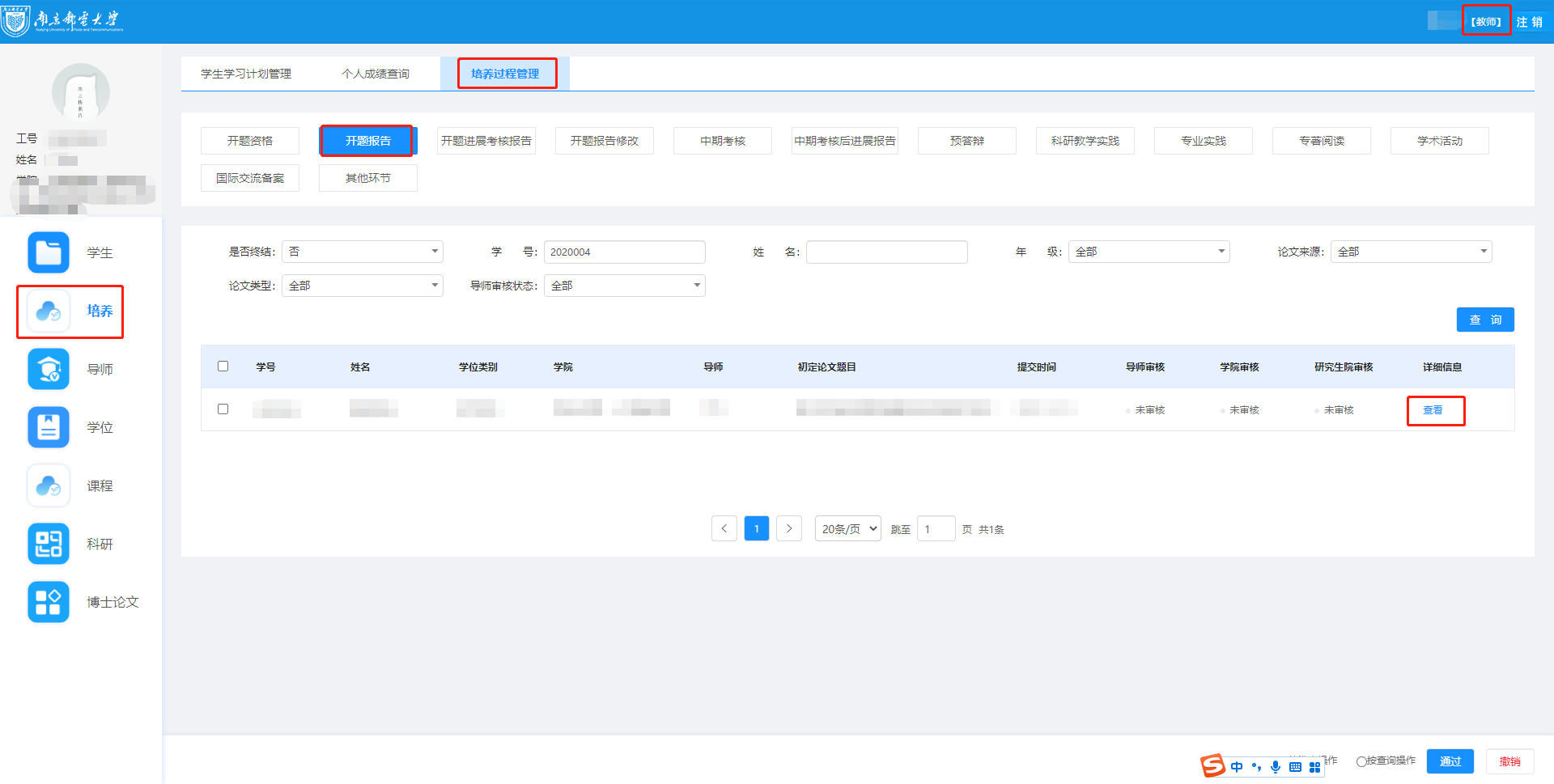
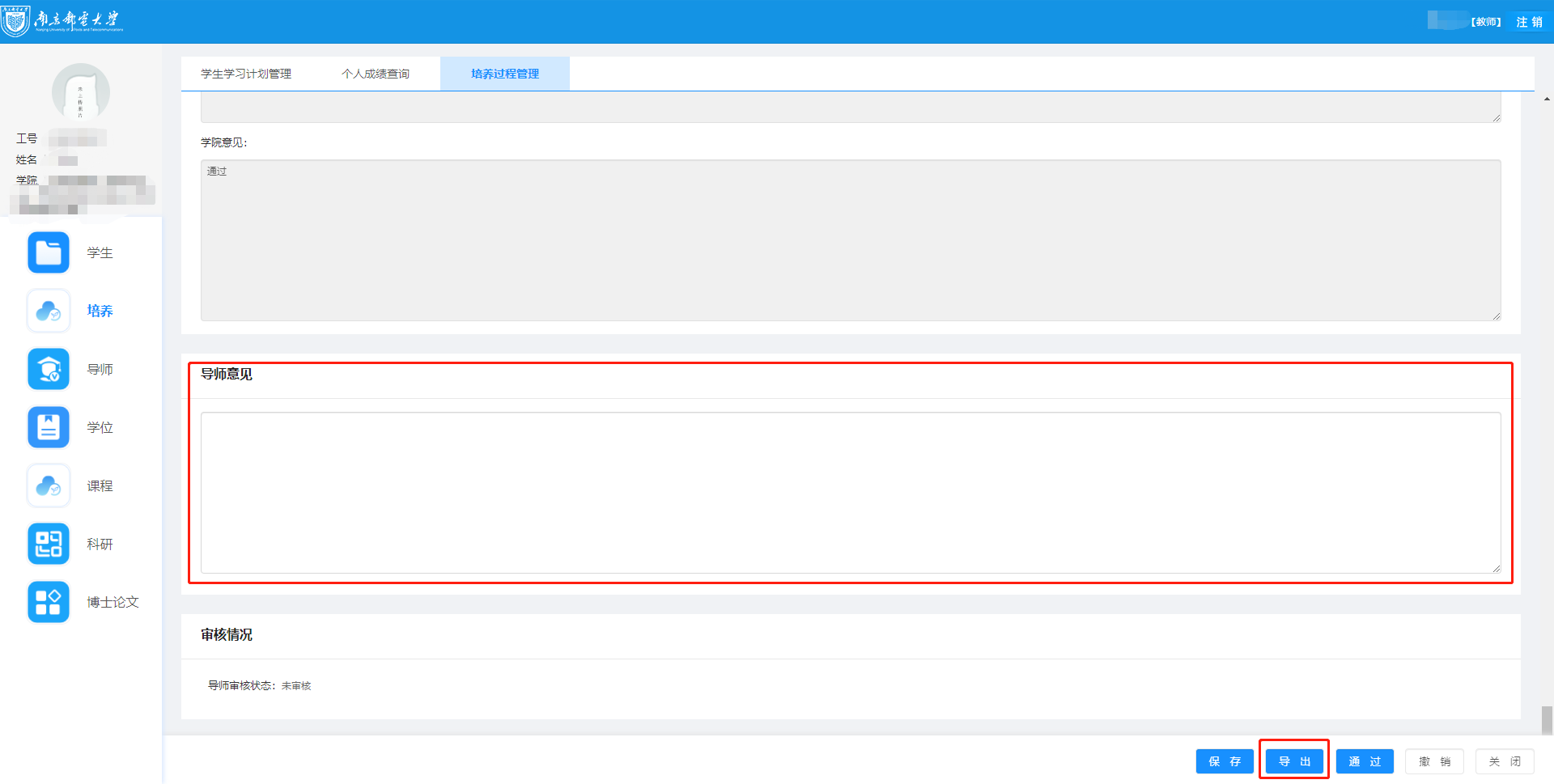
Note: Supervisors may conduct batch reviews on the main page, or click “Approve” in the lower right corner of the Supervisor’s Comments page to review. “Export” means exporting the student’s Word version of the thesis proposal.
III. Notes
Permission Description: The review permissions of supervisors, colleges, and the Graduate School increase level by level. That is, if the college has already reviewed a student’s thesis proposal, the supervisor cannot revoke the review. In this case, if the supervisor wishes to modify the review result, the college must revoke the review before the supervisor can do so.
If you encounter any problems while using the system, please contact the Academic Office in a timely manner. Office room : B1-500(11). Email: zhangqing@njupt.edu.cn. Please try to report problems by email as much as possible; we will provide feedback promptly. Thank you for your cooperation!
