login system (smart campus 智慧校园 )
Scan the code to enter thelogininterface.

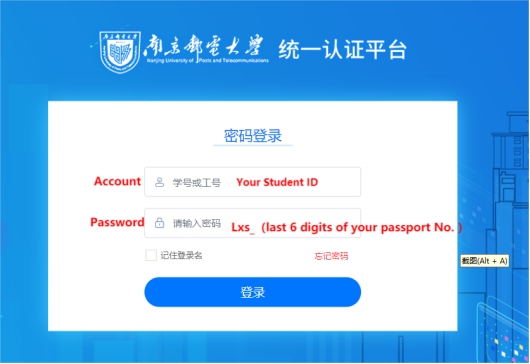
The original password is Lxs_xxxxx(last 6 digits of your passport No.)
If you forget the password, please call 025-83492019 or email xxh@njupt.edu.cn to reset it, find the module of “本科成绩和证明”
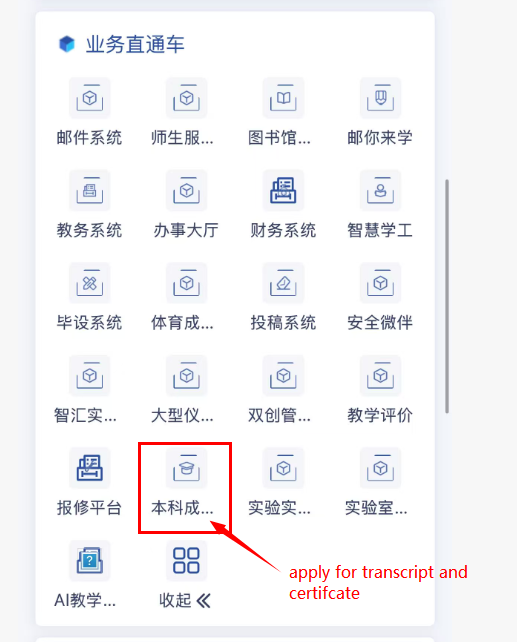
2.File View
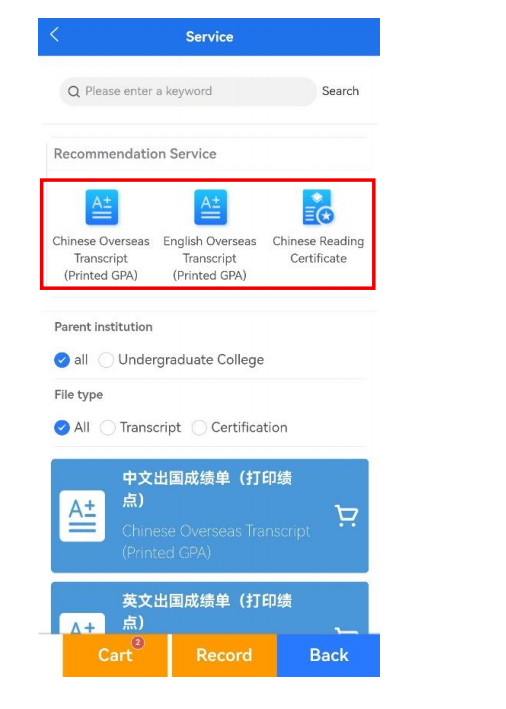
Choose electronic transcripts and electronic certificates which you want and click  , then the file will be added into the cart and you need pay for it
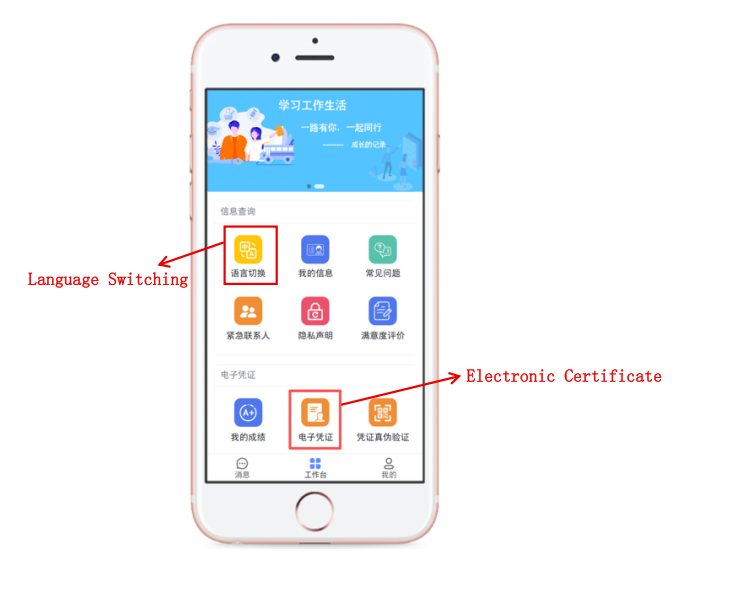
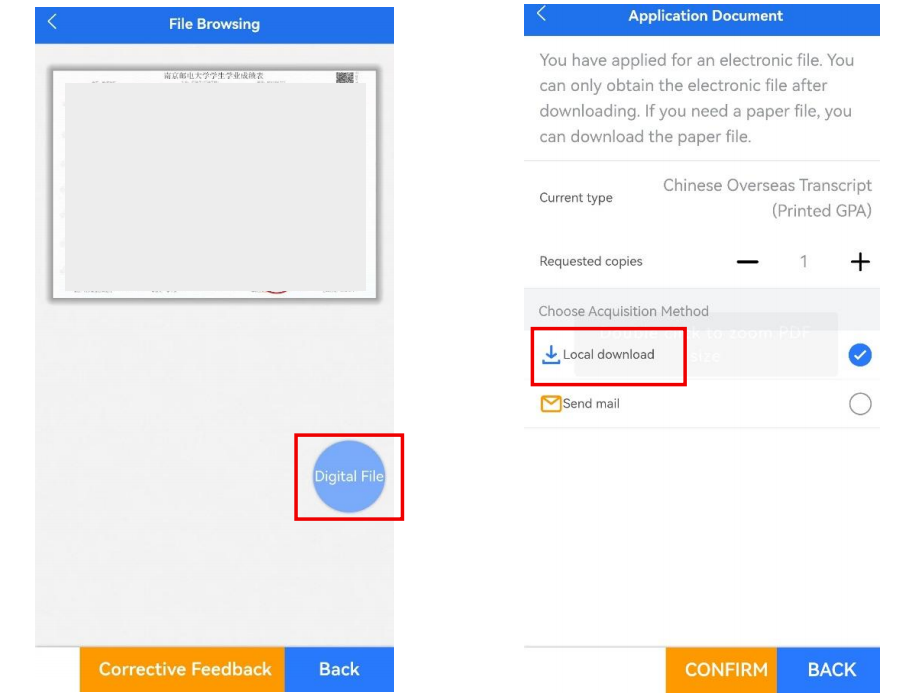
After confirming the document is correct, you can click ,the “Digital File” button to request the document. The new system supports “Local Download” or “Send Email”(use NJUPT email). “Local download” is recommended.
If you encounter payment failure without receiving the document again, you can provide feedback directly through the “payment appeal” module within the system, without needing to provide feedback to office.
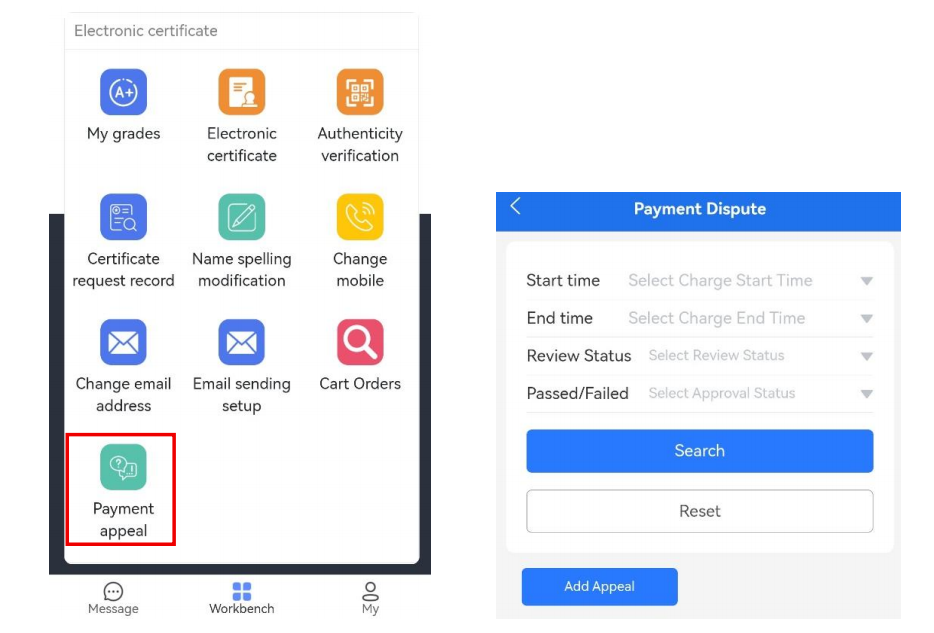
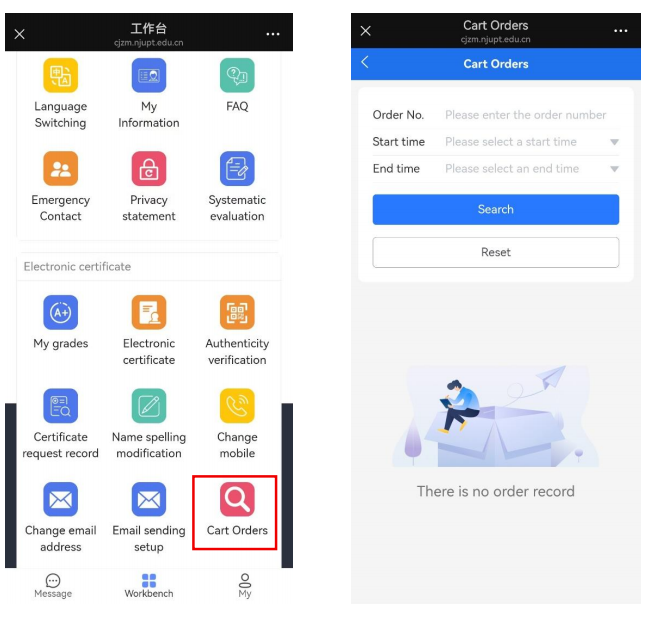
If you choose local download, you need find file in “Cart Orders” page, where you can view order details and download documents.