本科生课程替代申请指南
Guide to Apply for Course Substitution for Bachelors
via Smart Campus
· Path: Service Express → Academic Affairs System
Link:i.njupt.edu.cn/portal
Account:student ID
Original Password :Lxs_xxxxxx(last 6 digit of passport no.)

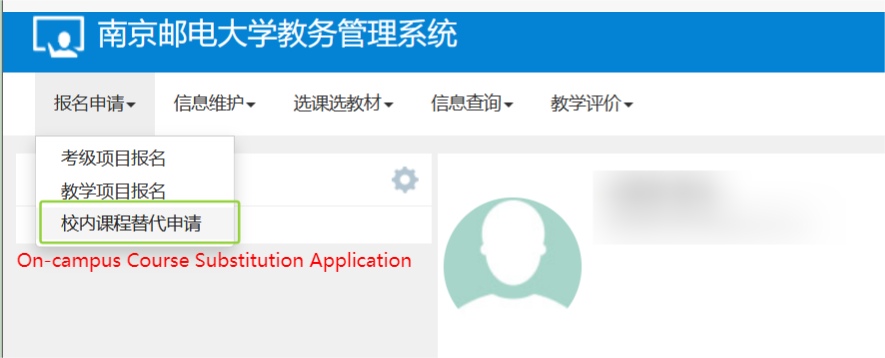
Step 1: Log in to the academic administration system and click "On-campus Course Substitution Application".
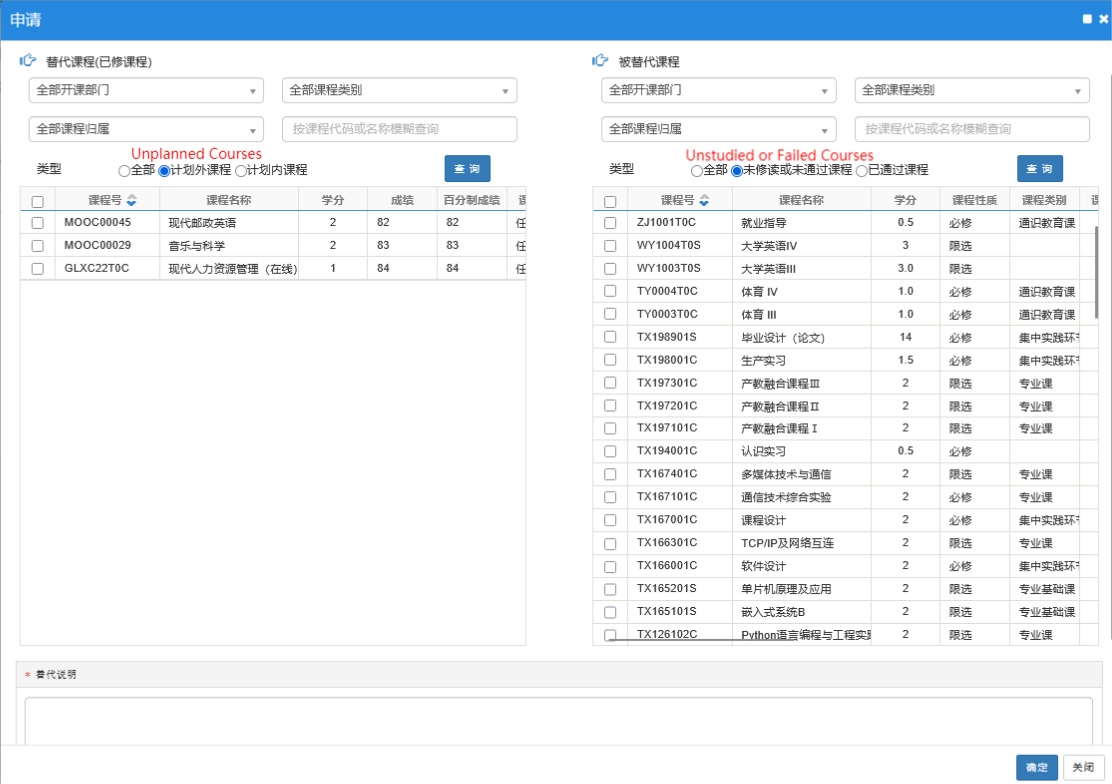
Step 2: Check the courses to be substituted on both sides. The substituted course column defaults to "Unstudied or Failed Courses". If the target course cannot be found, select "All" or "Passed Courses". Fill in the Substitution Remarks (brief description, e.g., major transfer, retake), then click "Confirm".
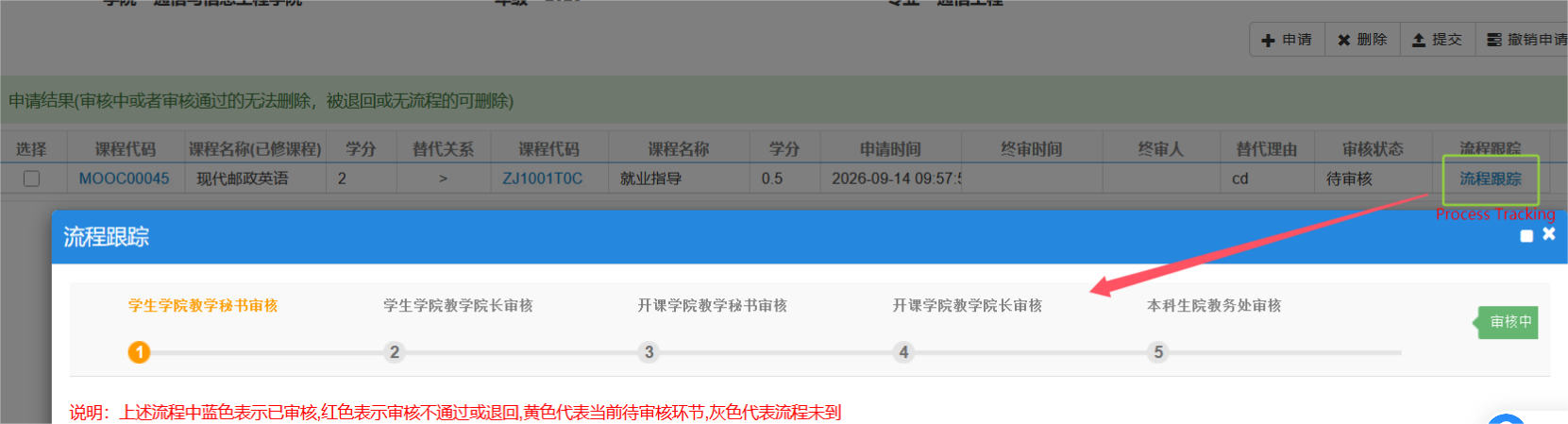
Step 3: Process Tracking. You may check the substitution progress in real time.